What’s in the Shipment Package?
- Here is how you will receive your Antminer S19K Pro in a typical Bitmain box from MinerHaolan.

- The machine is safely padded with thick foam pieces to prevent any damage during shipping.

- As you remove the foam, you will find the entire machine perfectly wrapped in an antistatic bag for safe shipment.

- Once you remove the antistatic bag-wrapped ASIC, you will find a thick foam piece at the bottom for better protection. You will also find a quick start guide inside the box, which will help you use the ASIC.

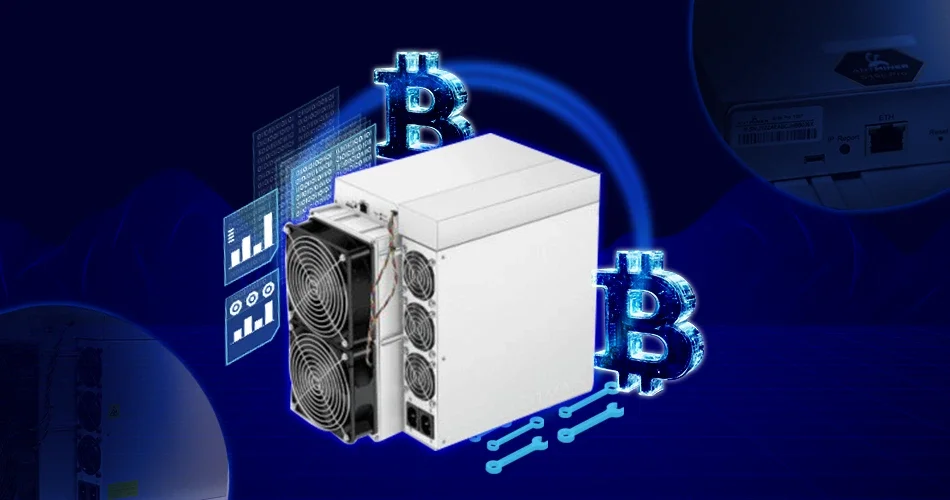
- The Antminer S19K Pro 120T currently comes in two different looks. One is the same as the typical Antminer series, as shown in the following picture.

- The other comes with a protective metal cover, as shown in the following picture.
 You can find all the technical details of the device on its label.
Now, let’s see the actual setting up process.
Step-by-step guide for setting up the Antminer S19K Pro 120T
1. Preparing the ASIC
- Place the Antminer in an aerated place, as the machine will exhaust a lot of heat. Ensure the working area has good airflow for ventilation.
- The power capacity and infrastructure for any ASIC miner are relatively high. Hence, the Antminer can’t run on a regular North American setup. You will need to have specialized power infrastructure to run your Antminer S19K Pro.
- So, ensure you get a 240V 30 amps circuit installed at your home with the help of a certified electrician to run your Antminer S19K Pro. Next, you should purchase 240V 30 amps PDU.
- Next, you will need 2 sets of C-13 to C-14 power cables to power the miner.
- Now, connect the C-13 to the C-14 cables and the PDU. Plus, connect the ethernet cable as well, as there is no wifi support in the ASIC.

- Ensure all plugs are tight and there are no loose connections. Now you are all set to start the miner.
2. Configuring the ASIC
- Once the power supply is on, the ethernet light should come on.

- Now you would need the IP address of the S19K Pro. To get the IP address of the miner, you can choose any of the following steps:
- You can use the free program software called Advance IP Scanner to get your miner’s IP address.
- You can log in to your router and get the IP address.
3. Accessing the S19K Pro via the Web Browser
- Once you enter the IP address in the browser, a window will appear asking for a username and password.
- Sign in to the browser by giving “root” as username and password. For all Antminer models, the default username and password is root. However, in other models from different companies, the credentials may vary. You can reach us at info@MinerHaolan.com for assistance.
- As you login, you can access the Web GUI of the Antminer S19k Pro.

4. Adding the Mining Pool
- Now, go to the settings page to set up the mining process by adding the mining pool, wallet address, and password.
- You can check Mining Pool Stats to choose the mining pool to mine Bitcoin. Do your research and select the pool that best suits your mining preferences.
- You need to make an account with any mining pool first. Log in to your account and get the mining pool address. Copy the mining pool address and paste it into the Mining Address field.
- Next is the miner’s name. You can find the miner name under the worker configuration. You can give the name of your choice.
- You can give the password of your choice.
- After entering all the information, hit save.
- Now, you’re connected to the Bitcoin mining Pool.
5. Some Best Practices to Follow
-
Restart the Miner
- Once you make all changes to the settings page, it is ideal to restart the miner. That will give accurate readings like the hash rate, power consumption, and fan speed of your Antminer S19K Pro.
-
Reset the Password
- Changing the password is always the best practice while using any ASIC. So, go ahead and change your password.

-
Firmware Upgrade
- Using the latest firmware version is another best practice, as it will let you enjoy the optimal benefits of your Antminer S19K Pro. You can check the firmware version on your Antminer dashboard and verify it on Bitmain’s site for recent updates.If you see any recent firmware update released by Bitmain, upgrade to that latest version. Ensure you download the firmware only from Bitmain’s official website and not from any other third party.

6. Start Mining Bitcoin
- You can check the Antminer’s dashboard after a few minutes to know the mining status. The mining process should have started.
- You can see your Antminer S19K Pro mining at the maximum hash rate of 120T.

- Here, the power consumption of the Antminer S19K Pro is around 2253W.

- However, the power consumption may fluctuate according to your environment.
Bitcoin Mining Profitability
The profitability of Bitcoin is complex as it depends on several factors. The first and foremost factor that plays a vital role in Bitcoin’s profitability is its price. The higher the Bitcoin price, the better the rewards, and so is the profitability. So, analyzing the past price performance of Bitcoin is mandatory to determine the possible Bitcoin profitability.
Here is the price history of Bitcoin over the last decade for your quick reference.

Source: Statista
Besides Bitcoin price, other factors like quality and features of the Bitcoin mining hardware you use, mining difficulty, electricity charges, market trends, etc, play a crucial deciding factor in profitability. Thus, users should research the market and better understand the relevant factors before indulging in Bitcoin mining.
Bitcoin Mining Difficulties
Since Bitcoin is popular and is the most popular cryptocurrency, more miners would participate in Bitcoin mining. Thus, the mining difficulty will be greater for Bitcoin in general. However, it is subject to change based on the market circumstances. Though mining difficulty seems to reduce profits, it plays a vital role in decentralization.
Mining difficulty is crucial to maintaining a decentralized mining network. Otherwise, miners with advanced mining hardware with top-notch features will solve the puzzles faster and gain more rewards paying to centralization. Hence, mining difficulty is mandatory to keep certain miners from taking advantage of the network and also prevent unethical activities in the mining network.