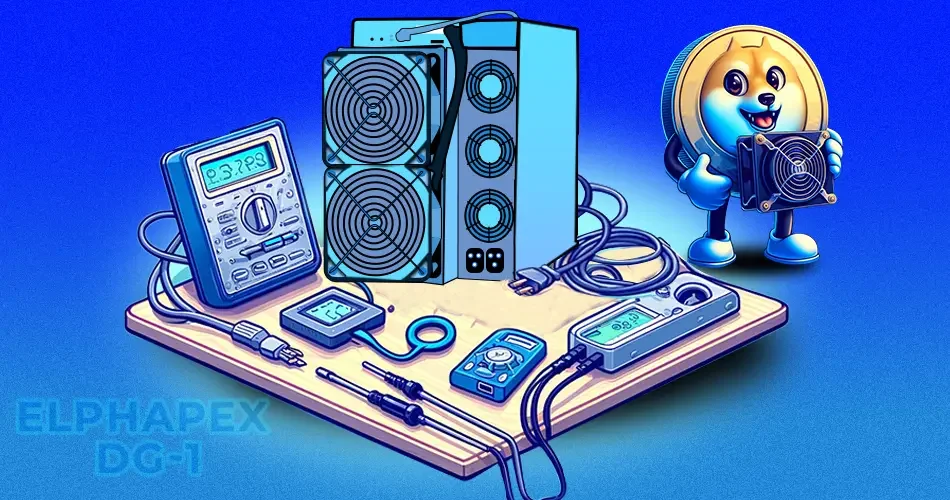
Unboxing the Elphapex DG-1
- Here is how you will receive the Elphapex DG-1 in a box from MinerHaolan.
- You can see the dimensions of ASIC mentioned in the box.
- As you open the box, you will find the entire ASIC wrapped in thick foam to protect it during shipping.
- The package includes a handy user manual. Users can scan the QR code to access the manual on the company’s official website.
- Once unboxed, Elphapex DG-1 looks like this.
- The actual setting up process begins now.
Step-by-step Guide for Setting up the Elphapex DG-1
1. Preparing the ASIC
- Any ASIC miner requires a relatively high power supply, over 3000W. Thus, a regular home power setup won’t work. You need a dedicated power infrastructure for your ASIC miner.
- Collaborating with a certified electrician and getting a dedicated power setup to run your ASICs is highly recommended. You will need a 240V 30A circuit PDU and L6-30 receptacle to power your ASIC miner.
- Since the ASIC miners release a large amount of heat, having this entire setup in an aerated place with a lot of ventilation is highly advisable. Additionally, ensure you have a dedicated wired internet connection in the mining area, as ASICs don’t have Wi-Fi support. Now, place the miner on a flat surface in the ventilated area.
- The Elphapex DG-1 requires two sets of C-13 to C-14 power cables to power the miner. Ensure you get 14-gauge thick cables, which withstand the heat your ASIC generates.
- Now, plug the Ethernet cable into the miner, as no Wi-Fi support is available in the ASIC.
- Next, plug the two C13 and C14 power cables into the ASIC miner.
- Ensure all plugs are tight and there are no loose connections. Now, you are all set to start the Elphapex DG-1.
2. Configuring the ASIC
- Once the power supply is on, the ethernet light should come on.

- The next step is to find the IP address of your Elphapex DG-1. You will need a laptop or desktop with the same internet connection.
- Go to the website Advanced IP Scanner. It is a free program software that gets you ASIC’s IP address.
- Alternatively, you can log in to your router to get the IP address.
3. Accessing the Elphapex DG-1 via the Web Browser
- Once you enter the IP address in the browser, a window will appear asking for a username and password.
- Sign in to the browser by entering “root” as a username and password. For all Antminer models, the default username and password is root. However, in other models from different companies, the credentials may vary. You can reach us at info@MinerHaolan.com for assistance.

- As you sign in, you can access the web GUI of Elphapex DG-1.
4. Checking the Firmware
- Checking the firmware version of your ASIC and ensuring it is the latest version is crucial for its optimal functioning and syncing with the mining pool.
- Go to ElphaPex’s official website. Click on the Technical Support tab.
- You can check whether any recent firmware updates are available and ensure you download the latest.
- Now, go to the update tab. You can import the firmware you downloaded and click the update button.
5. Adding the Mining Pool
- Now, go to the settings page and set up the mining pool, wallet address, and password.
- You can pick and choose any mining pool here. However, let’s take ViaBTC for demonstration purposes. Let’s take Litecoin for example here. Select LTC from the drop-down menu.
- Scroll down and copy the Stratum URL.
- Go to the settings page. Paste it into the mining address.
- The following tabs allow you to add extra mining pools. Hence, even if one mining pool goes down, you can mine with others.
- Copy the ViaBTC username and paste it into the username tab on the settings page.
- Ensure the username is separated by a period dg1. For example, the username entered here is rpm2023.dg1.
- The user password is X for all three sections. Hit save.
6. Start Mining
- The mining process should have started immediately. However, it is ideal to restart the miner for accurate readings.
- Now, check the ASIC’s dashboard. You can see the ASIC mining in its maximum hash rate.
- You can check your mining profits and easily withdraw them.