Antminer Firmware Explained
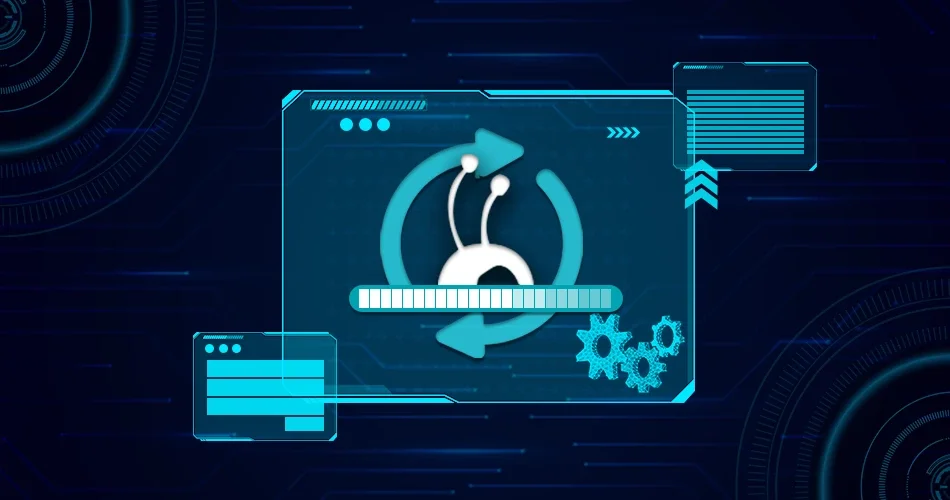
In general, firmware is the software code embedded in electronic gadgets and hardware to optimize performance. Any devices, from smartphones and machinery to computer peripherals, come with firmware that directs the device with accurate instructions for optimal functioning. Antminer Firmware also works the same way. Over time, the firmware turns outdated. Thus, Bitmain releases firmware upgrades for all of its mining hardware models from time to time that miners can utilize. Upgrading firmware is crucial as it enhances the performance of your Antminer.
Importance of Upgrading Firmware
Bitmain releases firmware upgrades now and then for Antminer’s enhanced functionalities and better security. Hence, using the updated firmware for your Antminer is crucial to enjoying the new features, functionalities, and optimal performance. Promptly upgrading the firmware ensures your mining hardware is at its best with all the updated features which you don’t want to miss. Hence, ensure you periodically check for firmware upgrades and install the newest firmware for your Antminer. Thus, you can make the most out of your Antminer and enjoy a consistently positive mining experience.
However, updating your firmware from a reliable source is always advisable for your Antminer to function optimally. Hence you should download the recent firmware for your Antminer model from the Bitmain site to avoid unwanted risks and unethical activities.
Possible risks in Upgrading Antminer Firmware
Since Antminer is from the reputed mining hardware manufacturer Bitmain, upgrading its firmware has more benefits than possible risks. However, with any other firmware upgrade, a few possible risks associated with the Antminer firmware upgradation, including
-
Bricked Device
A device may turn bricked or non-functional if the firmware update process is interrupted.
-
Incompatibility
A firmware upgrade may trigger compatibility issues with specific mining pools or systems in the mining network.
-
Security Issues
Most likely, the firmware upgrades are for security reasons. However, downloading firmware updates from an unreliable source may lead to potential security problems.
Upgrading Antminer Firmware Best Practices
It’s highly recommended to follow the best practices below while upgrading Antminer firmware and minimize potential risks.
-
Reliable Sources
Download the Antminer firmware update only from a reliable website. It is advisable to download it from the manufacturer, Bitmain’s website.
-
Read Instructions
Read the firmware update notes carefully and follow the installation instructions provided by the manufacturer, Bitmain.
-
Stable network
Ensure you have a stable power supply and a steady network connection to prevent unwanted interruptions.
Step-by-step Instructions to Upgrade Antminer Firmware
All Antminer has a similar firmware update process. Here is the detailed step-by-step procedure for upgrading Antminer firmware.
Step 1:
Go to the official Bitmain site to download the Antminer firmware upgrade.
Step 2:
Select your Antminer model from the dropdown.

Step 3:
Bitmain advises using Google Chrome or Firefox browser to download the firmware. Further, Bitmain suggests miners download the firmware in their preferred location on their PC or laptop rather than opening it directly. If you use a Mac computer, disable the setting that automatically opens the file.
Step 4:
Now, go to the Antminer dashboard. Select the downloaded firmware upgrade from your device. Click the update button.
Within a few seconds, you can see the dashboard displaying the upgraded firmware version.

Troubleshooting the Antminer
Troubleshooting is a standard procedure often used to find solutions for complex software systems, electronics and mining hardware. Here are some general instructions to troubleshoot the most common problems with the Antminer.
-
Examine Power Supply
Ensure your Antminer is securely connected to the electrical outlet. Since loose contacts may interrupt miner operations, ensure all power cables are intact.
-
Inspect the Internet Connectivity
Make sure the Ethernet cable is secured and your Antminer has a steady internet connection.
-
Access the Web GUI of the Antminer
Find the IP address of your Antminer and access its Web GUI by logging in with your credentials. You can check your Antminer’s hash rate, temperature and fan speed on its Web GUI and ensure whether those values are in the acceptable range.
-
Check the Antminer Configuration
Double-check whether you’ve configured the mining pool settings right. Also, ensure your crypto wallet settings.
-
Investigate for any Hardware Errors
Check whether the web interface displays any hardware errors. If so, then try fixing it immediately.
-
Check for Firmware Upgrades
Ensure your Antminer has the latest firmware. If not, download the latest version from the Bitmain site. Updating the firmware may resolve issues and enhance performance.
-
Community Support
Connect with fellow miners on online forums, social media groups and other support channels and discuss your Antminer issues. If you are still unable to resolve, you can contact Bitmain’s customer support for assistance.
Troubleshooting often varies depending on the Antminer model. Hence, always refer to the manufacturer’s official documentation and other resources.