What’s inside the Shipment Box?
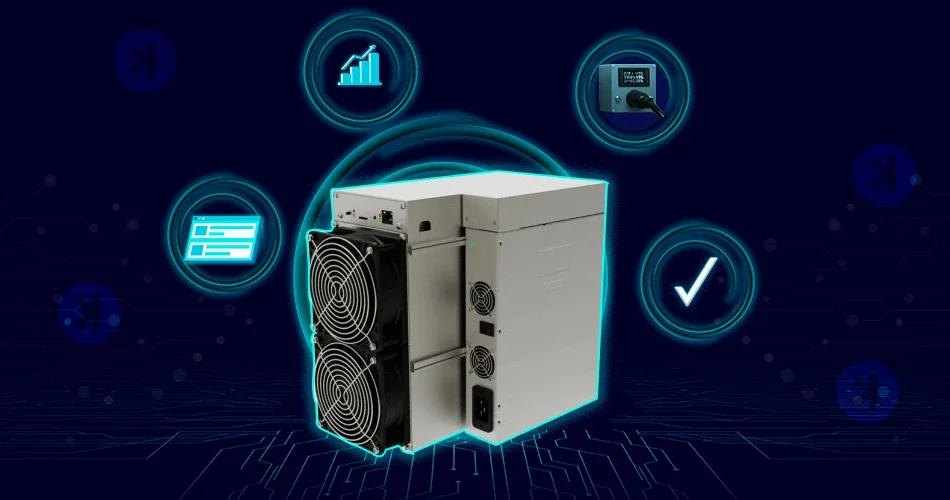
- You will receive your Iceriver KS3M safely packed in a carton box from MinerHaolan.
- The machine is safely padded with thick foam pieces on top and bottom to prevent damage during shipping.
- Once you unbox it, you will find a pretty heavy machine. Remove it carefully and place it in an aerated area as the machine releases enormous heat. Plus, ensure you have access to the wired network in that area.
- The Iceriver KS3M comes in two different looks. One is similar to the typical ASIC miners.
- The other comes with a protective metal cover like this.
Step-by-step guide for setting up the Iceriver KS3M
1. Preparing your Machine
- You will need to buy C-20 to C-14 cables to power your Iceriver KS3M, as they don’t come with the machine.
- You will need special power infrastructure for Iceriver KS3M as the miner requires 240V, as it won’t work on a typical 120V home voltage setup. Ensure you get your power infrastructure done by a certified electrician.
- You will need a 240V 30A Power Distribution Unit (PDU). Plug one end of the C-20 to C-14 cable in the PDU and the other end in the power plug in the ASIC miner.
- Now connect the Iceriver to the router with a network cable (Ethernet cord) since ASICs don’t have wifi support.
2. Configuring the Miner
- Once the power supply is on, the ethernet light should come on.
- Now, once the internet is on, you will need a laptop or computer to get the IP address of your ASIC.To get the IP address of the miner, you can choose any of the following steps:
- You can use the free program software called Advance IP Scanner to get your miner’s IP address.
- You can log in to your home router and get the IP address.
3. Accessing the KS3M via the Web Browser
- Once you enter the IP address in the browser, a window will appear asking for a username and password.
- Sign in to the browser by giving “admin” as username and “12345678” as password. That is the default username and password for Iceriver models. However, in other models from different companies, the credentials may vary. You can reach us at info@MinerHaolan.com for assistance.
- Once you login, you can access the web GUI of Iceriver KS3M.
4. Changing the Mining Settings
- Click on the Mining Settings tab on the left hand side of the Web GUI. You will see the page below.
- You can update the Pool name, Worker/Wallet name, and password.
- Now, if you’re a new miner unsure of which mining pool to mine on, you can visit Miningpoolstats to pick the most suitable Kaspa mining pool.
- A general tip here is to choose a mining pool with a lower network hash rate to keep it decentralized.
- Let’s choose 2miners.com for illustration purposes. Once you go to its website, you will see the “how to start” button on the top right.
- On clicking the “how to start” button, you will see all the mining pool options for Kaspa. You can pick the suitable mining pool for your location.
- Copy the IP address for the USA location and paste it into the Pool1 on the Iceriver Web GUI.
- Now, copy the IP address for the Europe location into Pool 2 and the Asia location into Pool 3. Thus, if any of the pools go down, one will act as a backup.
- The next step is to add the Kaspa Wallet name to your KS3M. You can get any Kaspa wallet of your preference and paste it into the wallet address. You have to enter in the format: Wallet address. worker name. Worker name can be anything of your choice.
- Passwords can be anything of your choice. Once done, hit save.
5. Start Mining Kaspa
- After saving mining settings, click on the home button.
- Sometimes, you may need to restart the miner to see the mining status. You can see your Iceriver mining in the maximum hash rate.
- You can also check the fan speed and temperature of the Iceriver KS3M in the Web GUI.
- It is highly recommended to reset the password. You can do so by clicking on User Settings.
Iceriver KS3M Profitability
The profitability of any mining hardware, including Iceriver KS3M, is not easy to predict as it relies on various factors. For instance, factors like the hash rate of your mining hardware, mining difficulty in the network, Kaspa price, electricity charges, mining trends, etc, impact the profitability. Thus, miners need to pay close attention to all those factors before starting mining Kaspa or any cryptocurrency.
Since cryptocurrencies are highly volatile in price, it is always advisable to check the past price history and performance to better understand the profitability of that specific cryptocurrency.
Here is the price history of Kaspa for the last year for your quick reference.
Kaspa mining difficulties
Every cryptocurrency follows a mining algorithm, which determines its mining difficulty. Kaspa follows the Proof of Work (PoW) algorithm, KHeavyhash, to regulate the mining difficulty level for the Kaspa miners in the network.
Just like other PoW-based cryptocurrencies, including Bitcoin, Zcash, Kaspa mining is also energy-intensive. Miners should solve complex cryptography problems to find new blocks and mine new Kaspa coins.
Moreover, the more the cryptocurrency is popular, the more miners will want to mine the cryptocurrency, which, in turn, will increase the mining difficulty. The increased mining difficulty will lead to decreased profits. Hence, miners should consider the mining algorithm competitiveness in the mining network before mining it.
However, mining difficulty is not as bad as it sounds. In fact, mining difficulty is important as it prevents hackers and cyber attackers from compromising the network. It keeps the mining network decentralized, regulating new block generation appropriately.